

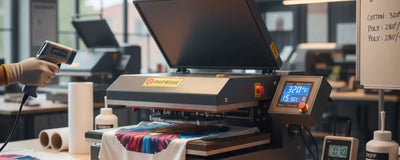
This heat press temperature guide covers current standard DTF Dallas ready-to-press garment transfers applied with a manual heat press.
Start with the transfer's instructions, confirm garment compatibility, and test one piece before a batch. The settings below are not universal instructions for other suppliers, specialty films, hydraulic presses, or UV DTF stickers.
Use our current heat press instructions and Application and Care FAQ as the main references.

Reference
Standard DTF Dallas Heat Press Settings
Manual Heat Press ReferenceTest the exact garment first
| Fabric | Temperature | Time | Pressure | Peel |
|---|---|---|---|---|
| Cotton | 290–310°F | 8–15 sec | Medium–High | Hot |
| Polyester | 290–310°F* | 8–15 sec | Medium–High | Hot |
| Cotton Blends | 290–310°F* | 8–15 sec | Medium–High | Hot |
| Nylon / Leather / Specialty | Contact support before production | |||
*For polyester and heat-sensitive blends, test toward the low end of the range and use protective materials as directed by the application guide. Check the garment label; coatings, stretch, and heat tolerance can limit compatibility.
Film Removal
Hot Peel for Current Standard Transfers
Hot Peel
Current standard DTF Dallas transfers
Keep the garment flat and remove the clear carrier promptly after pressing, in one smooth motion. The carrier comes off; the ink and adhesive remain on the garment.
Other Film Types
Follow the purchased product's instructions
Other films may have different peel requirements. Do not replace the hot-peel instructions for a standard DTF Dallas transfer with a cold-peel fallback.
By Substrate
Prepare and Test the Garment
Cotton
Remove lint and briefly pre-press as needed to remove moisture and wrinkles. Use the standard range with even pressure. Avoid seams or thick edges that prevent full platen contact.
Polyester and Blends
Test the exact blank at the low end of the approved range. Check for scorching and dye migration. Do not assume that reducing heat below the transfer's range or adding arbitrary time will solve an issue. For nylon, leather, coated, or unfamiliar surfaces, email info@dtfdallas.com before production.
Equipment
Even Pressure Without a Universal PSI Claim
Use medium-to-high pressure distributed evenly across the design. A pneumatic pressure gauge is not a universal measurement of pressure at the garment, and manual presses may have no gauge. Follow the equipment's adjustment instructions rather than applying a fixed PSI rule to every machine.
Do not force a press closed using body weight. Adjust it according to the manufacturer and confirm that the platen makes even contact. Hydraulic equipment can use different cycles; do not copy its shorter timing to a manual press.
Diagnostics
Before You Change the Settings
Application Checklist
- Verify Heat AccuracyUse the press manufacturer's recommended temperature-checking method. Check across the platen rather than assuming the display represents every area.
- Check the GarmentConfirm heat tolerance, remove moisture as needed, and test the exact fabric.
- Check ContactSeams, pockets, and zippers can prevent even pressure. Use suitable positioning or equipment accessories according to the press instructions.
- Press and Hot PeelUse 290–310°F, 8–15 seconds, and medium-to-high even pressure, then hot peel promptly.
- Optional Finishing PressA finishing press is optional. Follow the current application guide for its timing and protective sheet; do not treat it as a separate mandatory curing stage.
DFW
Ordering and Application Support
Send your order details, garment type, press model, settings, and photos to info@dtfdallas.com if you need help. A failed application does not automatically establish eligibility for a free reprint; see our Return and Refund Policy.
Print-ready orders placed before 2:00 PM CT, Monday through Saturday, ship the same day, regardless of order size. Free pickup is available at six DFW locations. See Pickup Locations for hours and cutoffs, and wait for your order-ready notification before visiting.
Ready for your next print? Order transfers by size or use our Gang Sheet Builder.

Questions
DTF Heat Press FAQ
What settings should I use for standard DTF Dallas transfers?
For current standard DTF Dallas garment transfers on a manual heat press, use 290–310°F (approximately 143–154°C), 8–15 seconds, medium-to-high even pressure, and hot peel. Check the instructions included with your order and test the exact garment first.
Should I hot peel or cold peel?
Current standard DTF Dallas garment transfers are hot peel. Keep the garment flat and peel the carrier promptly after pressing in one smooth motion. Do not default to cold peel if adhesion is poor; check heat, pressure, compatibility, and the product instructions.
Do I need a specific PSI setting?
There is no universal PSI value for every heat press. Manual adjustment, pneumatic gauge readings, platen size, and press design differ. Use medium-to-high, even pressure for standard DTF Dallas transfers on a manual press and follow the equipment instructions.
Can I use a home iron for DTF?
A home iron does not provide the even heat and firm, consistent pressure of a suitable heat press. Use a heat press for reliable application.
What happens if I press for too long?
Excess heat or time can damage the garment or affect the finished print. Stay within the product instructions, test a sample, and check temperature accuracy rather than repeatedly adding heat or time.
Why do my colors look different after pressing?
Possible causes include garment dye migration, heat effects, the original artwork, and differences between screen and print. A color change alone does not establish the cause. Check a sample, your settings, and the garment; contact support if the issue continues.


