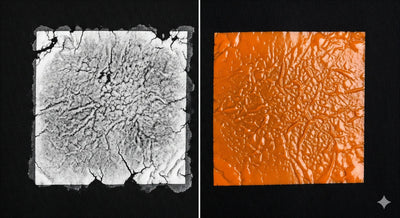


You've experienced it. You lay a freshly printed, beautifully vibrant design into your powder station. You apply the adhesive powder, ready for the magic to happen, but instead, you're met with chaos. A cloud of white powder erupts, clinging to the film in all the wrong places, sticking to your hands, your equipment, and every surface within a five-foot radius. Your pristine design is now surrounded by a messy halo of "ghosting," and clumps of powder are gathered in random spots. What is this invisible force turning your precise workflow into a frustrating mess? The culprit is static electricity.
For Direct-to-Film (DTF) printers, static is more than just a minor annoyance; it's a persistent and costly enemy. It sabotages quality, wastes expensive consumables, and devours precious time. Understanding this unseen force is the first step toward defeating it. While you can't see the electrical charge building up on your film, you can certainly see the havoc it wreaks on your DTF transfers.
This guide is your ultimate battle plan. We're going to dive deep into the science behind static electricity and explore why the DTF process is uniquely susceptible to its effects. More importantly, we'll provide a comprehensive, multi-layered strategy for eliminating it from your print shop. From simple environmental tweaks to professional-grade equipment, you'll learn the techniques we use at DTF Dallas to ensure every single transfer is clean, crisp, and perfect. It's time to take control and banish static from your workshop for good.

The Science
The Unseen Enemy: What is Static and Why Does it Wreak Havoc on DTF?
To defeat an enemy, you must first understand it. Static electricity is one of the oldest scientific phenomena ever observed, yet it remains a frustrating mystery to many. In the context of a print shop, it's a quality control nightmare waiting to happen.
A Quick Science Lesson: What is Static Electricity?
At its core, static electricity is an imbalance of electric charges on the surface of an object. You've seen it in action since you were a kid: rub a balloon on your hair, and your hair stands on end. You've created a charge imbalance.
Everything is made of atoms, which have positive charges (protons) and negative charges (electrons). Usually, they are balanced. But when two different materials rub against each other, electrons can get stripped from one surface and transferred to the other. This process is called the triboelectric effect. The material that loses electrons becomes positively charged, and the material that gains them becomes negatively charged.
These charged objects then try to neutralize themselves. A positively charged object will attract anything with a negative charge, and vice versa. It will also attract neutral objects by polarizing them. This force of attraction is what causes the mayhem in your DTF workflow.
How Static Specifically Targets the DTF Process
The DTF printing process creates a perfect storm for static electricity to build up and cause problems. Several key components are naturally prone to generating and holding a static charge:
- PET Film is a Natural InsulatorThe DTF film itself is made of Polyethylene Terephthalate (PET), a type of plastic. Plastics are excellent electrical insulators, meaning they can build up and hold a static charge very effectively without letting it dissipate easily.
- Friction is EverywhereThe entire process is filled with friction. The film unrolls from a tight roll, rubbing against itself. It passes through the printer's rollers and printhead assembly. All of these contact points are opportunities for the triboelectric effect to generate a powerful static charge on the film's surface.
- Adhesive Powder is Lightweight and Easily InfluencedDTF adhesive powder is incredibly fine and lightweight. Each tiny particle can be easily influenced by even a small electrostatic force.
When the highly-charged DTF film meets the lightweight powder, chaos ensues. The static field on the film extends beyond the wet ink. Instead of sticking only to the ink where it belongs, the powder is aggressively attracted to the charged, unprinted areas of the film, creating a host of visual defects and messes. This is the root cause of many common DTF powder problems.
Diagnosis
Diagnosing the Problem: Are You a Victim of a Static Attack?
Before you can solve the problem, you need to be sure you're identifying the right symptoms. Static-related issues can sometimes be mistaken for other problems, but they have some very distinct and frustrating telltale signs.
Telltale Sign 01
The "Powder Explosion" or "Overspray"
This is the most obvious and messy symptom. When you apply powder to a highly charged film, it doesn't just fall gently onto the ink.
What it looks likeA cloud of powder seems to "jump" onto the film, often before you've even had a chance to shake it. Powder clings tenaciously to clear areas of the film, your hands, the sides of the powder tray, and the surrounding workspace. When you try to flick or blow off the excess, it stubbornly refuses to budge from the non-inked areas.
Telltale Sign 02
"Spider Webbing" or "Ghosting"
This is a more subtle but equally damaging quality issue. It refers to the fine patterns of powder that get stuck to the clear film, creating artifacts that can transfer to the final garment.
What it looks likeYou'll see faint, web-like lines or a hazy "ghost" image of powder clinging to the film, often several inches away from the printed design. It can look like a faint, dusty fog. During the curing process, these stray particles melt and can be transferred to the shirt, creating a rough texture or a faint white haze on the final product.
Telltale Sign 03
Inconsistent Powder Coverage and Clumping
Static doesn't just attract powder where it shouldn't be; it can also repel it or cause it to behave unpredictably where you do want it.
What it looks likeYou may notice that the powder forms strange clumps and mounds on certain parts of your design while leaving other areas nearly bare. The static fields can create "bald spots" where the powder is seemingly repelled from the ink. This results in an uneven adhesive layer, which will lead to a transfer that fails, peels, or has poor wash durability in those spots. This is a critical issue to resolve in any DTF printing troubleshooting process.
Root Causes
The Root Causes: Where Does Static Come From in a Print Shop?
Static electricity isn't just random bad luck. It's caused by a specific set of environmental and mechanical conditions. By understanding the sources, you can better target your solutions.
Your Environment: The Dry Air Dilemma
- The ScienceAir naturally contains water vapor (humidity). Water is a conductor, which means it helps to draw away and dissipate static charges from surfaces. When the air is very dry (low humidity), it becomes an insulator, allowing objects like your DTF film to build up a massive static charge with nowhere to go.
- The Prime Time for StaticThis is why static problems are often much worse in the winter months when heating systems dry out the air, or in naturally arid climates. A print shop with a relative humidity below 40% is a breeding ground for static.
Your Materials: The Inherent Nature of PET Film
- The Triboelectric SeriesScientists rank materials based on their tendency to gain or lose electrons. When two materials from different ends of this series are rubbed together, they generate a strong charge. The materials in your printer (rollers, etc.) and the film itself are often perfectly mismatched, leading to maximum static generation every time you print.
Your Equipment and Processes: A Factory of Friction
- Unrolling the FilmThe simple act of the film separating from the roll creates friction and static.
- Printer InternalsThe journey of the film through the printer's feed mechanism, over rollers, and under the print head is a continuous static-generating process.
- Automated ShakersThe friction of the powder moving around in an automated shaker can also contribute to the overall static charge in the environment.
Understanding that the problem is a combination of your environment, materials, and equipment is key to realizing that a single solution is rarely enough. A multi-pronged attack is necessary for total static elimination.
The Fix
Your Ultimate Toolkit: A Multi-Pronged Approach to Eliminating Static
Now for the battle plan. Eradicating static requires a layered approach, starting with the easiest and most affordable methods and scaling up to more advanced solutions if needed.
Level 1
The Essentials · Easy & Low-Cost Fixes
Start here. These three steps solve 80% of static issues for most small to medium-sized shops.
01Control Your Humidity (The #1 Solution)
- How it Works
- By increasing the moisture in the air, you provide a natural pathway for static charges to dissipate from your film and equipment.
- Implementation
-
- Get a HygrometerFirst, you need to measure the problem. A simple digital hygrometer costs less than $15 and will tell you the relative humidity (RH) in your workspace.
- Aim for the Sweet SpotThe ideal range for printing is between 45% and 60% RH. Below 40%, you will likely face static issues. Above 65%, you can run into issues with ink drying too slowly or powder clumping due to moisture.
- Use a HumidifierFor most rooms, a consumer-grade cool mist humidifier is sufficient. Place it in your print room, but not directly next to your printer or consumables. Let it run to bring the entire room up to the target humidity. For larger spaces, you may need a commercial-grade unit. This is the single most effective anti-static solution for printing.
02Use Anti-Static Wipes or Sprays
- How it Works
- These products apply a temporary, invisible conductive layer to a surface, which helps to prevent static buildup and dissipate any existing charge.
- Implementation
-
- DIY SolutionA simple and effective spray can be made by mixing 1 part fabric softener : 10 parts water in a spray bottle.
- ApplicationLightly mist a lint-free cloth or sturdy paper towel (do not spray directly on your equipment). Gently wipe down the areas around your printer's exit tray and the surfaces of your powdering station. Some people even carefully wipe the top (non-print side) of the DTF film roll before loading it.
03Implement Proper Film Handling and Storage
- How it Works
- Minimizing friction and protecting the film from dry conditions can prevent static from building up in the first place.
- Implementation
-
- Store film in its original packaging in a climate-controlled room (not a cold, dry warehouse).
- When handling the film, do so slowly and deliberately to minimize friction. Avoid pulling it quickly from the roll.
Level 2
The Proactive Upgrades · Mechanical Solutions
If you've controlled your humidity but still face issues, it's time for more direct mechanical interventions.
01Install Anti-Static Brushes
- How it Works
- These special brushes have thousands of fine, conductive carbon fibers. As the charged DTF film passes by the brush (without touching), the brush ionizes the air around it, neutralizing the static charge on the film's surface. They are a passive solution, requiring no power.
- Implementation
-
- Mount the brush on a bracket so that the fiber tips are positioned about 1/8 inch · 3-4 mm away from the film as it exits the printer.
- The metal base of the brush must be grounded. Run a wire from the brush's housing to a known metal ground point on your printer's chassis or a nearby grounded outlet screw. An ungrounded brush will not work effectively. This is a key step when learning how to ground DTF printer components.
02Ground Your Equipment
- How it Works
- Grounding provides a direct path for static electricity to flow from your equipment to the earth, preventing it from building up.
- Implementation
-
- Ensure all your major equipment (printer, shaker, heat press) is plugged into a properly grounded three-prong outlet.
- You can use an anti-static wrist strap, connecting one end to your wrist and the other to a grounded point on the printer, especially when handling film.
- Anti-static floor mats can also help dissipate static that builds up on your body as you move around the workspace.
Level 3
The Professional's Choice · Active Ionization
For high-volume production environments where static must be absolutely eliminated, active ionization is the ultimate solution.
01Ionizing Air Bars
- How it Works
- These are powered devices that generate a balanced field of positive and negative ions. A gentle stream of air blows these ions onto the target surface (your DTF film). The charged surface attracts the ions it needs to instantly neutralize itself. It's like a high-tech, super-effective version of the anti-static brush.
- Implementation
-
- Ionizing bars are mounted in the same position as an anti-static brush, across the film path as it exits the printer. They require a power supply. This is a common feature on high-end industrial DTF systems.
02Ionizing Fans or Blowers
- How it Works
- These are standalone units that can be aimed at a specific area. They are excellent for neutralizing your entire powdering station. They flood the area with ions, neutralizing the film, the powder, and the surrounding surfaces all at once.
- Implementation
-
- Simply place the blower on your workbench and aim it at the area where you apply and remove powder.

The Bill
The Business Cost of Static: More Than Just a Mess
Ignoring a static problem is a direct drain on your profitability. It's crucial to connect the technical nuisance to its impact on your bottom line.
- Wasted ConsumablesEvery gram of powder that ends up on the floor or stuck to the clear film is money thrown away. This can add up to hundreds or even thousands of dollars per year in wasted adhesive.
- Lost Time and LaborCleaning up powder messes, re-printing failed transfers, and painstakingly trying to clean ghosting off a print takes time. Time is your most valuable asset in a production environment, and static is a notorious time thief.
- Compromised Quality and ReputationDelivering a product with a faint, hazy outline or a rough texture due to stray powder is unprofessional. A single bad batch can damage your reputation. The consistency and quality offered by a professional service like DTF Dallas comes from obsessively controlling variables like static.
Take Control for a Cleaner, More Profitable Workflow
Static electricity may be an invisible force, but its impact on your DTF printing operation is undeniable. It's the hidden culprit behind wasted powder, frustrating messes, and inconsistent quality. But it is not a problem you have to live with.
By implementing a layered strategy, starting with crucial environmental controls like humidity, and then adding mechanical solutions as needed, you can systematically eliminate static from your workflow. This isn't just about creating a cleaner workspace; it's about taking professional control over your production process. It's about reducing waste, saving time, and ensuring that every single DTF transfer you produce is a perfect representation of your brand's commitment to quality.
Skip the Troubleshooting
For businesses that want to skip the troubleshooting and get perfect, static-free results every time, partnering with an expert is the answer. At DTF Dallas, we've mastered the science of printing, so you can focus on what you do best: creating.