
Building a 22x240 Gang Sheet: Best Software | DTF Dallas
Jul 27, 2026 (Updated on Jul 30, 2026)
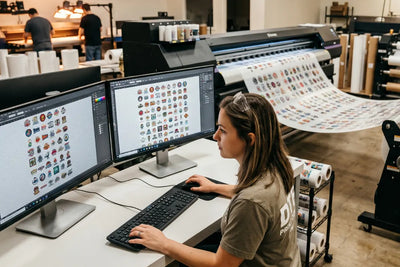
The 22x240 gang sheet is the highest-output format in DTF production. At 22 inches wide and 240 inches (20 feet) long, it is the format high-volume print shops use to batch hundreds of designs in a single order and drive down cost per transfer.
It is also the format that reveals exactly which software cannot handle large files. If you have ever opened a 22x240 document and watched your computer freeze, crash your design software, or take 20 minutes to render a preview, you are not alone. The file at this dimension and 300 DPI can exceed 2 gigabytes. Most consumer-grade design tools were not built for it.
Width
22 in
DTF film roll
Length
240 in
20 feet max
Resolution
300 DPI
print standard
File size
~1.9 GB
uncompressed
Jump to any section
- Why 22x240 is the standard
- What software struggles at this size
- What actually works at 22x240
- How to set up the document correctly
- Nesting strategy for 22x240
- What to check before you submit
- FAQ: big-file gang sheets answered
Quick answer: what software handles a 22x240 gang sheet?
Affinity Designer, Affinity Photo and GIMP handle a 22x240 gang sheet at 300 DPI with better memory management than Photoshop, which needs 16 GB or more of RAM to stay stable at this size. Canva, Word and Publisher cannot do it. The simplest path is a browser-based DTF gang sheet builder, and the DTF Dallas online gang sheet builder lets you upload and arrange designs with no desktop software at all. Print-ready files submitted before 2:00 PM CST go into same-day production.
Why 22x240 Is the Standard
DTF film rolls are typically 22 inches wide. The maximum continuous print length varies by equipment, but 240 inches (20 feet) is the common upper limit for a single uninterrupted job on commercial DTF printers.
The economics are straightforward: the more you fill the sheet, the lower your cost per square inch. A gang sheet with 60% empty space costs the same as one with 5% empty space. Getting designs nested tightly across 22x240 is how high-volume shops keep their per-unit transfer cost low.
At DTF Dallas, gang sheets can be submitted up to the maximum dimensions the shop's production equipment supports. The DTF gang sheet product lets you upload and configure your layout before ordering.
What Software Struggles at This Size
Heavy
Adobe Photoshop
Handles the file if your computer has enough RAM, but a multi-gigabyte PSD at 300 DPI needs 16 GB or more of available RAM to avoid slowdowns and crashes. Most users on consumer hardware find Photoshop unstable at this document size.
Not viable
Canva
Not designed for large-format production. Canva does not support 22x240 inch documents and does not work at 300 DPI the way professional print tools do. Fine for designing individual elements, not for building gang sheet layouts.
Not viable
Word / Publisher
Not print production tools. Microsoft Word and Publisher cannot build a 22x240 gang sheet at print resolution, and should not be used for DTF layout work at all.
Stable
Affinity Designer
Handles large documents well with lower RAM usage than Photoshop. Works at 22x240 at 300 DPI on mid-range hardware, with precise, print-accurate DPI and export settings.
What Actually Works at 22x240
Limited
Pixlr X / Pixlr E
Browser-based tools that can open large documents, but performance degrades at very large sizes. Better for smaller gang sheets than for 22x240 at full scale.
Free + capable
GIMP
Open-source desktop editor that handles large files with reasonable performance on 8 GB or more RAM. Less intuitive than Photoshop but capable of 22x240 at 300 DPI. Raise the tile cache in Preferences to improve large-file performance.
Best value
Affinity Photo / Designer
Purpose-built for professional print with better memory management than Photoshop, at a lower cost than Adobe. Handles 22x240 smoothly on modern hardware with print-accurate DPI and export.
Purpose-built
DTF gang sheet builders
Browser-based or desktop tools built specifically for DTF gang sheet production. Optimized for this exact use case, they typically handle large sheets without the general-purpose software problems.
Vectornator (now Linearity Curve), a free vector design tool for Mac, also handles large artboards and exports at any DPI. It suits vector-based gang sheet layouts better than raster-heavy ones.
The simplest route skips desktop software entirely. The DTF Dallas online gang sheet builder lets you upload designs and arrange them in the browser, with no multi-gigabyte file to open on your own machine.
How to Set Up a 22x240 Document Correctly
Regardless of which software you use, the setup principles are the same.
Width22 inches
Height240 inches (22x120 and 22x60 also common)
Resolution300 DPI
Color modeCMYK
BackgroundTransparent
At these settings, the numbers are what break weaker software. Here is the math behind the file size:
# 22 x 240 inches at 300 DPI
pixels = 6600 x 72000 px
channels = 4 (CMYK)
depth = 8 bits / channel
# uncompressed size
total = ~1.9 GB <- why RAM and software matter
pixels = 6600 x 72000 px
channels = 4 (CMYK)
depth = 8 bits / channel
# uncompressed size
total = ~1.9 GB <- why RAM and software matter
If your computer struggles with the full sheet, build at a reduced size such as 22x60 or 22x120 and submit multiple sheets rather than one large one.
Nesting Strategy for 22x240
Nesting is the process of arranging designs to minimize wasted space. On a 22x240 sheet, good nesting is the difference between 80 designs fitting and 50 fitting.
-
Leave minimal margins between designs
DTF transfers can be cut close to the design edge. A quarter-inch gap between designs is sufficient, and sometimes less.
-
Rotate designs to fill irregular spaces
A tall narrow design can fill vertical space beside a wide short design. Rotate freely to close the gaps.
-
Group similar-height designs in rows
A row of 3-inch-tall designs stacked horizontally lets you fill the width cleanly, then move to the next row.
-
Flatten to PNG before submitting
The file sent to the printer should be a single flat image at 300 DPI, not a layered PSD or multi-layer file.
What to Check Before You Submit
Before sending your 22x240, or any gang sheet, to production, run through this list.
Pre-submit checklist
- Zoom to 100% and inspect every design. Verify edges are clean, backgrounds are transparent, and no designs have clipped edges.
- Confirm the resolution is exactly what you ordered at 300 DPI.
- Verify the final file is a PNG, not a JPEG, which compresses the image and adds a white background.
- Flatten the layout to a single layer before export.
- Check that every design sits inside the sheet boundary with a clean margin.
For anything that did not vectorize cleanly or has resolution issues, the free-tool workflow in the guide to vectorizing low-res JPEGs for DTF gang sheets fixes source files before you build. For strategy on how to design and price gang sheet layouts for maximum profitability, the guide to building the perfect DTF gang sheet for maximum profits covers the business decisions alongside the technical ones.
Submit when the file is ready. Send your completed gang sheet through the DTF Dallas gang sheet builder, or contact the shop directly for large-volume or high-complexity orders. Same-day production applies to gang sheet orders with print-ready files submitted before 2:00 PM CST.
Frequently Asked Questions
What software is best for a 22x240 DTF gang sheet?
Affinity Designer, Affinity Photo and GIMP handle a 22x240 gang sheet at 300 DPI with lower RAM demand than Photoshop, which needs 16 GB or more to stay stable. Canva, Word and Publisher cannot produce the file at all. The DTF Dallas online gang sheet builder avoids the problem entirely by building the layout in the browser.
Why does my computer crash when I open a 22x240 gang sheet?
A 22x240 document at 300 DPI is roughly 6600 x 72000 pixels, about 1.9 GB uncompressed in CMYK, which overwhelms software and hardware that lack the RAM to hold it. Use a memory-efficient tool like Affinity or GIMP, or build a smaller sheet such as 22x60 or 22x120. The DTF Dallas gang sheet builder handles the large file server-side so your machine does not have to.
Can I use Canva or Photoshop for DTF gang sheets?
Canva cannot build a 22x240 gang sheet, since it does not support that document size or 300 DPI print output. Photoshop can, but only with 16 GB or more of RAM, and it stays unstable on most consumer hardware. For a reliable desktop option, use Affinity or GIMP. To skip desktop software, upload to the DTF Dallas gang sheet builder.
What settings should a DTF gang sheet file use?
Set the document to 22 inches wide, up to 240 inches long, at 300 DPI, in CMYK color mode, with a transparent background. Export the finished layout as a single flattened PNG, not a JPEG, since JPEG compresses the image and adds a white background. Submit print-ready files to DTF Dallas before 2:00 PM CST for same-day production.
How do I fit more designs on a gang sheet?
Nest designs tightly: leave about a quarter-inch gap between them, rotate tall narrow designs to fill vertical space, and group similar-height designs into clean horizontal rows. Tight nesting can be the difference between 80 designs fitting and 50. The DTF Dallas gang sheet builder arranges uploads for you to reduce wasted space.
Should I submit one 22x240 sheet or several smaller ones?
If your computer handles the full 22x240 file cleanly, one sheet keeps everything in a single job. If the file crashes your software, build smaller sheets such as 22x60 or 22x120 and submit multiple files instead, since the per-square-inch cost is the same. Either way, flatten each to a 300 DPI PNG before uploading to the DTF Dallas gang sheet builder.
Build Your Gang Sheet with DTF Dallas
No desktop software needed · Same-day production before 2 PM CST · Print-ready files
Open the gang sheet builder →The 22x240 gang sheet rewards tight nesting and punishes weak software. Pick a tool that manages memory well, set the document up at 22 inches by up to 240 inches at 300 DPI in CMYK with a transparent background, flatten to PNG, and check every design at 100% before you submit. Or skip the desktop file entirely and build it in the DTF Dallas gang sheet builder.
Comments 0
Be the first to leave a comment.