
Print DTF Transfers Easily: Your DIY Guide
Mar 23, 2024 (Updated on Oct 16, 2026)
Print DTF Transfers: Understand the Complete Workflow
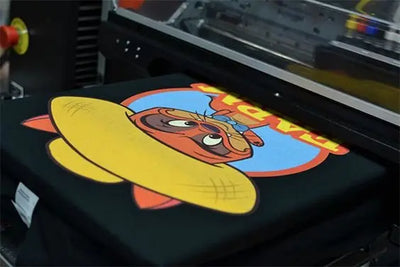
DTF (Direct-to-Film) printing creates a design on carrier film, which is then applied to a compatible garment with a heat press. The design is not printed directly onto the fabric. This guide separates manufacturing a transfer from applying a purchased ready-to-press transfer.
If you only want to decorate garments, buying ready-to-press DTF transfers avoids owning a printer and curing equipment. Purchased transfers arrive printed and cured; no extra adhesive or separate film curing is required.
Key Takeaways
- Film goes into the printer; adhesive powder does not.
- Apply compatible adhesive powder to the wet printed ink, then remove excess powder and heat-cure using the material and equipment instructions.
- Standard garment DTF does not use a UV exposure unit for curing.
- Keep the carrier attached until after pressing the transfer onto the garment.
- Test your exact garment and follow the instructions for your transfer system.

What Is DTF Printing?
A compatible DTF printer uses DTF inks and a RIP workflow to print a design, including its required white ink layer, onto DTF film. Adhesive powder is applied while the ink is wet, and the powder-coated print is cured before garment application. Heat and pressure then bond the finished transfer to the fabric.
DTF can decorate many cotton, polyester, and blended garments. Final appearance and durability depend on artwork, materials, garment compatibility, correct application, and care. Confirm compatibility before using nylon, leather, coated fabrics, or unfamiliar heat-sensitive materials.
Decide Whether to Print or Buy Transfers
Making transfers in-house provides control over production scheduling and experimentation, but requires equipment, maintenance, workspace, material handling, and training. It is not automatically cheaper than purchasing transfers. Compare equipment, consumables, labor, test pieces, waste, and maintenance at your expected volume.
Buying ready-to-press transfers can suit occasional projects or businesses that want to focus on garment decoration. You still need a suitable heat press and time for alignment, pressing, peeling, inspection, and packing.

Equipment and Materials for In-House DTF Production
- Compatible DTF printer and inks: Use a system intended for DTF production, including the required white ink workflow.
- Computer and software: Use artwork preparation software and compatible RIP software for print settings, ink management, and white-layer preparation.
- DTF film: Load the correct printable side according to the film and printer instructions.
- Adhesive powder: Use powder compatible with the ink, film, garment, and curing system.
- Powder application and curing equipment: Follow the equipment and material manufacturers' instructions. Film curing has separate settings from garment pressing.
- Heat press: Choose suitable equipment with reliable temperature and even pressure control.
- Appropriate workspace: Follow equipment ventilation requirements and material safety and handling instructions. Keep materials protected from dust and moisture.
If you purchase ready-to-press transfers, you can skip the printer, RIP, ink, powder, and film-curing stages. Prepare your garments and application tools instead.

Printing DTF Transfers Step by Step
1. Prepare the Artwork and RIP Job
Create or import the design at its intended print size. Check detail quality and dimensions, then prepare the print orientation, white layer, and other settings according to the printer and RIP workflow. Avoid applying the same mirroring operation twice.
2. Print onto DTF Film
Load compatible film with the correct side facing the printhead. Use compatible DTF inks and the required white ink layer. Check nozzle performance and alignment according to your printer's instructions before a production run.
3. Apply Adhesive Powder While the Print Is Wet
Coat the wet printed ink with compatible hot-melt adhesive powder, then remove excess powder. Do not put powder into the printer or dry the ink before powder application. Follow the material handling guidance.
4. Cure the Powder-Coated Film
Use suitable curing equipment and follow the film, powder, and equipment manufacturers' specified process. There is no universal curing temperature or duration for every material system. Standard garment DTF uses heat to cure the adhesive powder; a UV exposure unit is not part of this workflow.
Keep the carrier film attached. Follow the material instructions for handling and storage after curing. UV DTF is a different process and should not be used as a substitute for garment DTF instructions.
5. Prepare and Position the Garment
Remove lint and lay the compatible garment flat, keeping seams, zippers, and buttons away from the pressing area. If needed, pre-press for 3–5 seconds within the garment's heat tolerance. Separate gang-sheet designs by cutting through clear space without cutting the artwork.
Place the printed adhesive side against the garment with the clear carrier facing up. Measure alignment and prevent shifting. See the DTF transfer placement guide.
6. Press and Peel Using the Correct Transfer Instructions
For current standard DTF Dallas garment transfers on a manual heat press, use 290–310°F (approximately 143–154°C), 8–15 seconds, and medium-to-high even pressure. Use protective materials as directed in the current application guide.
Keep the garment flat and hot peel the clear carrier promptly after pressing in one smooth motion. Do not wait for the transfer to cool before peeling. A finishing press is optional; follow the current guide if using one. Purchased transfers do not need a separate film-curing step.
For transfers manufactured with a different film and powder system, follow that system's garment application and peel instructions. Do not assume all films share the same settings.
7. Inspect the Test Garment
Check adhesion, appearance, heat marks, and dye migration before continuing with a batch. Check temperature accuracy, even pressure, moisture, and compatibility before increasing heat or time. Let the finished garment cool before folding and follow the garment label and Application and Care FAQ for washing and drying.
FAQ
Does adhesive powder go into the printer?
No. Print onto compatible DTF film, then apply powder to the wet printed ink outside the printer or in the designated powder application equipment. Remove excess powder before curing.
Do I need UV light to cure garment DTF transfers?
No. Standard garment DTF uses a heat-curing process for adhesive powder. Follow your film, powder, and equipment instructions. UV DTF is a separate process.
Can I use an ordinary printer?
Do not assume an ordinary printer is compatible. In-house production requires a compatible DTF printing system, inks, film, RIP workflow, and adhesive and curing equipment. Alternatively, purchase ready-to-press transfers and apply them with a suitable heat press.
When do I remove the carrier film?
After garment pressing. For current standard DTF Dallas transfers, peel promptly while hot. Other film systems may have different peel instructions.
Is printing at home always more economical?
No. Compare equipment, consumables, labor, maintenance, waste, workspace, and production volume with the cost of purchasing transfers. Start with a test project before committing to a workflow.
Choose the Workflow That Fits Your Project
Successful garment decoration starts with compatible materials, the correct production sequence, and a tested application process. To outsource printing and curing, explore DTF Dallas gang sheets. For questions about your order or application, contact DTF Dallas.
Comments 0
Be the first to leave a comment.