
Why Won't My DTF Transfer Stick? A 5-Step Checklist for a Perfect Press
Dec 29, 2025
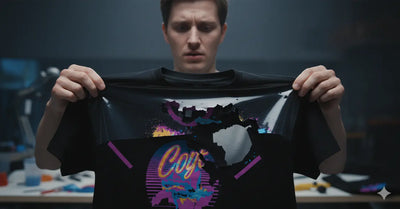
It’s one of the most disheartening moments for any apparel creator. You’ve sourced a beautiful design, you’ve lined it up perfectly on a fresh, new garment, and you’ve pressed it with anticipation. But when you go to peel the film, your heart sinks. The design lifts up, cracks, or leaves a patchy, incomplete mess behind. It’s a frustrating, time-consuming, and costly problem that can make you want to throw your heat press out the window. If you’ve ever found yourself asking, "Why won't my DTF transfer stick?", you are not alone.
The good news is that the solution is almost never a mystery. A successful DTF application is a science, a delicate dance between five key variables: temperature, pressure, time, the fabric itself, and the all-important peel. When a transfer fails, it is almost always because one or more of these variables is out of sync. Simply pressing harder or for longer is a guessing game. To solve the problem for good, you need a systematic way to diagnose exactly where the breakdown is occurring.
This is your definitive troubleshooting checklist. We will walk you through the five most common culprits behind adhesion failure, explaining the science behind each one, the tell-tale signs of a problem, and the exact steps to take to fix it. While starting with a high-quality DTF transfer is the essential first step, a flawless application is what turns that print into a durable, sellable, and professional-quality garment. Let's diagnose the issue and get you back to pressing with confidence.

Step One: A Deep Dive into Heat Press Temperature
The temperature of your heat press platen is the catalyst that makes the entire DTF process possible. It’s the energy that transforms the solid adhesive powder on the back of your print into a hot-melt glue. Getting this temperature exactly right is the most critical part of the equation.
The Science of Thermal Adhesion
The white powder on the back of your DTF transfer is a thermoplastic polyurethane (TPU) adhesive. It’s engineered to remain a solid, inert powder at room temperature, but to melt into a liquid, glue-like state within a very specific temperature range. When your heat press applies the correct heat, this powder liquefies and flows into the tiny fibers of the garment’s weave. As it cools, it re-solidifies, creating thousands of microscopic anchor points that lock the print to the fabric. This is what creates the strong, durable, yet flexible bond.
Diagnosing "Too Hot" vs. "Too Cold"
Every transfer and every heat press has a "sweet spot." Deviating from it can cause a range of problems.
- Symptoms of "Too Cold": This is the most common reason for a transfer not sticking. If the platen is not hot enough, the adhesive powder won't melt completely. It may become gummy, but it won't liquefy enough to penetrate the fabric fibers. The result is a weak bond, and the transfer will lift, peel, or crack when you remove the film.
- Symptoms of "Too Hot": Excessive heat can be just as damaging. It can scorch the fabric, leaving a yellowish tint on light-colored garments. It can also cause "dye migration," where the dye from a polyester shirt (especially red) vaporizes and stains the white ink of your transfer, turning it pink. On the print itself, too much heat can cause the ink to look overly shiny, melted, or even create a "halo" as the adhesive squishes out from the edges.
Finding Your Perfect Temperature
Most DTF transfers have a recommended temperature range, typically between 280°F and 320°F (140°C - 160°C). However, you should treat this as a starting point, not an absolute rule. The digital readout on your heat press can be wildly inaccurate. A press set to 300°F might only be 270°F in the center and have cold spots near the edges.
- The Best Tool: The most reliable way to know your true platen temperature is to use a handheld infrared (IR) heat gun. They are inexpensive and allow you to measure the temperature of different spots on your platen, revealing any inconsistencies.
- The Fix: Calibrate and Test: Always perform a test press on a scrap piece of the same fabric you'll be using. Start in the middle of the recommended range (e.g., 300°F). If it doesn't stick, increase the temperature by 5-10 degrees and try again. Keep detailed notes for each type of garment you print on.
Step Two: Mastering the Art of Consistent Pressure
If temperature is the catalyst, pressure is the force that makes the bond happen. It’s the physical action of pushing the melted adhesive deep into the fabric's weave to create a powerful and lasting mechanical bond. Inconsistent or incorrect pressure is the second most common cause of print failure.
The Role of Pressure in the DTF Bond
Imagine trying to glue two pieces of wood together. You can’t just spread the glue and lay them on top of each other; you have to clamp them together. The clamp forces the glue into the pores of the wood. A heat press does the same thing. The pressure ensures that every square millimeter of the liquefied adhesive makes intimate contact with and seeps into the garment's fibers, leaving no gaps or weak spots.
Diagnosing "Too Much" vs. "Too Little" Pressure
- Symptoms of "Too Little" Pressure: This is a very common issue, especially on manual clamshell presses. If the pressure is too light, the transfer won't make enough contact with the shirt. The heat may be correct, but without the force, the adhesive won't be pushed into the fabric. The result looks very similar to a "too cold" press—the transfer will peel up with the film.
- Symptoms of "Too Much" Pressure: It is possible to have too much pressure. This can cause the ink to look "flattened" and thin. It can also press the fabric texture too deeply into the print, making it look coarse. In extreme cases, the excessive pressure can squeeze the liquefied adhesive out from the edges of the design, creating a thin, clear, and undesirable "halo" around your print after you peel it.
How to Set and Test Your Pressure
For manual presses, the setting is often a "feel" you develop over time. A good rule of thumb is to set it to where it is difficult to lock the handle down with two hands. For a more methodical approach, you can use the "paper test." Place a piece of paper under each of the four corners of your platen and lock it down. Try to pull the pieces of paper out. You should feel a significant amount of resistance on all four corners. If you can easily slide one out, your pressure is uneven.
The Unsung Hero: The Heat Pressing Pillow
Garments are not perfectly flat. They have seams, collars, and zippers. If you try to press a transfer over a thick seam, the seam will hold the platen up, creating an area of zero pressure on either side of it. This is where a heat pressing pillow is essential. By placing a foam-filled, heat-resistant pillow inside the shirt, you raise the printing area, allowing the seams to sink down into the pillow. This ensures the platen can apply direct, even pressure across the entire surface of your transfer.
Step Three: A Critical Look at Your Fabric and Garment Prep
Sometimes, the problem isn’t your heat press at all; it’s the garment you’re printing on. The fabric's composition and condition can dramatically affect a transfer's ability to adhere.
When a Fabric Fights Back
While DTF is known for its versatility, some fabrics are simply not suitable for heat application.
- Coated Fabrics: Any garment that has been treated with a waterproof, water-resistant, or stain-resistant coating will actively repel the DTF adhesive. The coating creates a chemical barrier that prevents the glue from bonding with the fibers.
- Heat-Sensitive Synthetics: Some delicate synthetics, like certain types of nylon or rayon, can be scorched or even melted by the heat required for DTF application. Always test on a hidden spot first.
The Invisible Enemies: Moisture and Chemicals
Even on a standard cotton or poly-blend shirt, invisible culprits can ruin your press.
- Moisture: Fabric, especially cotton, is hygroscopic, meaning it absorbs moisture from the air. If you press a moisture-filled shirt, that water turns to steam. The steam creates a vapor barrier that pushes back against the transfer, preventing the adhesive from reaching the fibers.
- Chemical Residue: Fabric softeners and some dryer sheets work by coating fabric fibers with a waxy or oily residue to make them feel softer. This residue acts just like a waterproof coating, preventing the DTF adhesive from bonding. It’s always best to use garments that have not been treated with fabric softener.
The Non-Negotiable Pre-Press Ritual
The solution to these invisible enemies is simple and non-negotiable: you must pre-press every single garment before applying the transfer. Place the shirt on your heat press and press it for 5-10 seconds. You will literally see the steam rising from the fabric. This does two crucial things: it drives out all the moisture and it removes any wrinkles, creating a flat, dry, and perfect surface for your transfer.
Step Four: An Honest Assessment of Your DTF Transfer Quality
If you have dialed in your time, temperature, and pressure, and you’ve prepped your garment perfectly, but the transfer still fails, it may be time to assess the quality of the transfer itself.
What a High-Quality Transfer Looks Like
A professionally produced transfer from a reputable supplier like DTF Dallas will have several key characteristics. The colors will be vibrant and the edges of the design will be razor-sharp. When you flip it over, the white adhesive powder on the back should be a consistent, even, and slightly textured layer. It should cover the entire design right to the edges, with no clumps, bare spots, or blotches.
Signs of a Low-Quality or Damaged Transfer
- Insufficient Powder: If the adhesive powder layer is thin, patchy, or doesn't fully cover the ink, there simply isn't enough "glue" to create a strong bond. This is a common issue with low-quality or poorly maintained printing setups.
- Improper Storage: DTF transfers are sensitive to humidity and time. If they are left out in a humid environment, the adhesive powder can absorb moisture and lose its effectiveness. Over time (many months), the adhesive properties can begin to degrade. Always store your transfers in a sealed plastic bag in a cool, dry place.
Step Five: Perfecting the All-Important Peel
You can do everything else right, but if you peel the film incorrectly, you can still ruin the print. Understanding your specific transfer type and using the proper technique is the final step to a perfect press.
The Hot vs. Cold Peel Showdown
DTF films come in two main varieties: hot peel and cold peel.
- Hot Peel: This film is designed to be peeled immediately (within 1-3 seconds) after the press opens. It’s faster but can sometimes be less forgiving.
- Cold Peel: This is the most common type. It must be allowed to cool down completely to room temperature before the film is removed. Peeling it while it is still warm is a guaranteed way to ruin the print, as the adhesive has not had time to re-solidify and set.
- Know Your Film: Always follow the instructions provided by your transfer supplier. Using a cold peel technique on a hot peel film (or vice versa) will lead to failure.
The Proper Cold Peel Technique
Do not just grab a corner and rip the film off. The correct technique is to start at one corner and slowly and steadily roll the film back on itself at a very low, flat angle. This creates a peeling motion that is gentle on the transfer. Pulling straight up at a 90-degree angle puts immense stress on the bond and can cause it to lift.
The Final "Post-Press" for a Flawless Finish
After you have successfully peeled the film, your shirt is not quite finished. For maximum durability and a professional, matte finish, you should always perform a final "post-press." Place a piece of Teflon, parchment, or kraft paper over the exposed design and press it again for 5-10 seconds. This step does two things: it removes any residual shine from the print, and it further embeds the ink into the fabric fibers, significantly improving its washability and longevity.

Your Perfect Press Troubleshooting 🌡️
-
My print looks faded after I press it. What's the problem?
- This is often a sign of either too much pressure or too much heat. The excessive pressure/heat can "push" the ink too deep into the fabric, making it look less vibrant. Try reducing your pressure to a firm medium and lowering your temperature by 5-10 degrees.
-
I see a faint, clear box around my design after I press it. How do I fix that?
- This "box" or "halo" is the adhesive powder that has squished out from the edges of the print. It is almost always a sign of too much pressure. Reduce your pressure setting, and the halo should disappear on your next press.
-
Can I use a home iron instead of a heat press?
- It is strongly not recommended. A home iron cannot provide the consistent, even temperature or the heavy, even pressure that is required for a DTF transfer to cure properly. Using an iron will almost always result in a failed, peeling print and a frustrating experience. A quality heat press is the most important piece of equipment for this process.
From Frustration to Flawless
The frustration of a failed press is real, but the solution is always within reach. By moving methodically through this five-step checklist—dialing in your temperature, setting your pressure, prepping your garment, verifying your transfer, and perfecting your peel—you transform the process from a game of chance into a reliable science. Take control of the variables, and you will take control of your results.
Comments 0
Be the first to leave a comment.